
Webhooks & the API
When a sale, a scan or a waitlist offer should reach your CRM, your finance system or your own site, frequentix can push it — or your systems can come and read it.
Webhooks
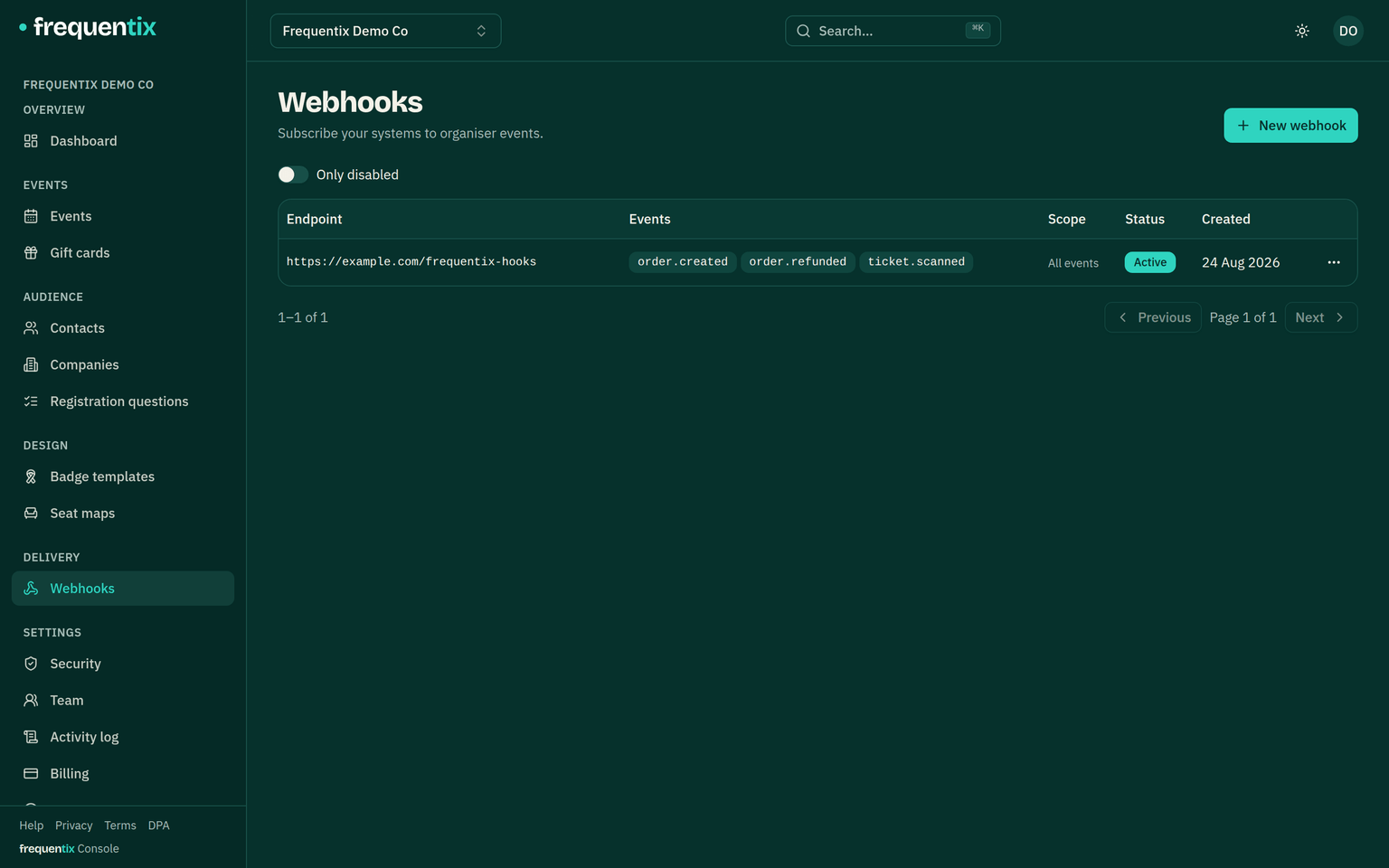
- Seventeen event kinds can be pushed to an endpoint you nominate: orders created, refunded and cancelled, tickets scanned, updated and transferred, resale listings and completed resales, waitlist joins, offers and conversions, date cancellations, add-on redemptions, lead captures, gift cards issued and redeemed, and payment disputes. A subscription is organiser-wide or scoped to one event.
- Every delivery is signed, so your endpoint can prove it came from frequentix. The signing secret is shown once, at creation.
- A failing endpoint is retried nine times over about eight hours, the gap growing each time; if it never answers, the subscription disables itself and you get an email, so a silent outage can’t swallow a week of orders. A browsable delivery log shows every attempt and response.
The API
- API clients live in Settings → Integrations. Each carries scoped credentials — reads over events, orders, tickets, contacts and entry scans, and the writes automations need: recording scans, creating and updating contacts, and managing webhook subscriptions of their own — and can be limited to named events. Narrowing a client’s event access applies immediately, even to tokens already issued.
- A connected system never has to re-read everything: it can ask for just what changed since its last look — including removals and data-protection erasures, so a synced CRM forgets whoever you erase rather than keeping its own copy. Ticket reads carry each booking’s registration answers, and the entry-scan feed shows who actually arrived.
- Like webhook secrets, a client secret is shown once. Lost one? Revoke and create a replacement — nothing can ever read it back.
- A subscription an integration creates through the API shows up in your webhooks list named after its client (“via Zapier”), and revoking the client switches its subscriptions off. The official Zapier app is coming soon — it runs entirely on this surface, so the credentials above are all it will ask you for.
For your developers
This article is the organiser’s view. Payload formats, signature verification, authentication and code samples live in the developer documentation — hand your developer that link and the two secrets, and they have everything they need.