
Emails & campaigns
frequentix sends two very different kinds of email on your behalf — and keeps them apart, so a marketing blast can never delay a buyer’s tickets.
Where to find it: open your event, then Comms → Emails in the sidebar. The wording you write once for every event is under Settings → Email content.
The two kinds of email
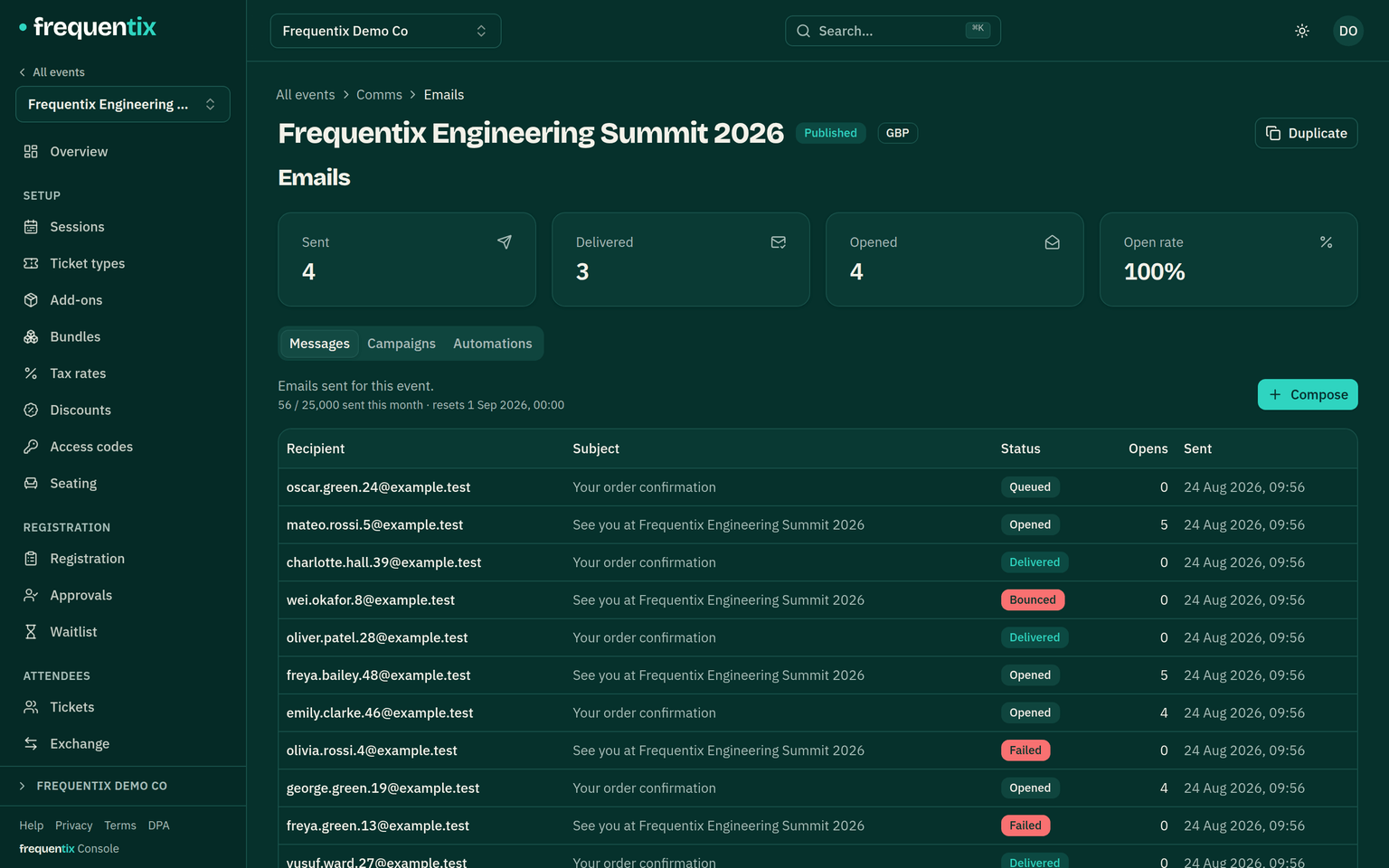
- Transactional — confirmations, tickets, waitlist offers, cancellation notices. Always sends, never counted against any allowance, and ignores marketing unsubscribes (it’s about the buyer’s order, not marketing).
- Discretionary — campaigns and one-off manual sends you compose. Counted, capped and unsubscribable.
Both send from your organiser name — buyers see you, not frequentix. Each event’s Emails tab shows every message sent for it, with opens tracked.
Campaigns
A campaign is composed per event: pick the audience — everyone with a ticket, holders of specific ticket types, or companies — write it in the editor, preview, send or schedule. The recipient count you see is the count that sends — unsubscribed, bounced and erased contacts are already excluded.
The transactional stream isn’t editable as a campaign, but its wording is still yours: eleven email types take a custom subject, intro and outro per language — see Branding & white-label.
Scheduling a campaign
Instead of sending straight away, pick a date and time (shown in the event’s timezone) at least a few minutes ahead and up to a year out. A scheduled campaign can’t be edited in place — what you scheduled is exactly what sends — so to change it, cancel the schedule, edit the draft, and schedule again; the console offers this as one step.
If the campaign can no longer send when its moment arrives — the month’s allowance is spent, the audience has emptied, or the plan no longer includes campaigns — it returns to draft with the reason shown on the campaign, never silently. Scheduling checks the allowance up front too, when the send falls inside the current month.
Reminders & basket recovery
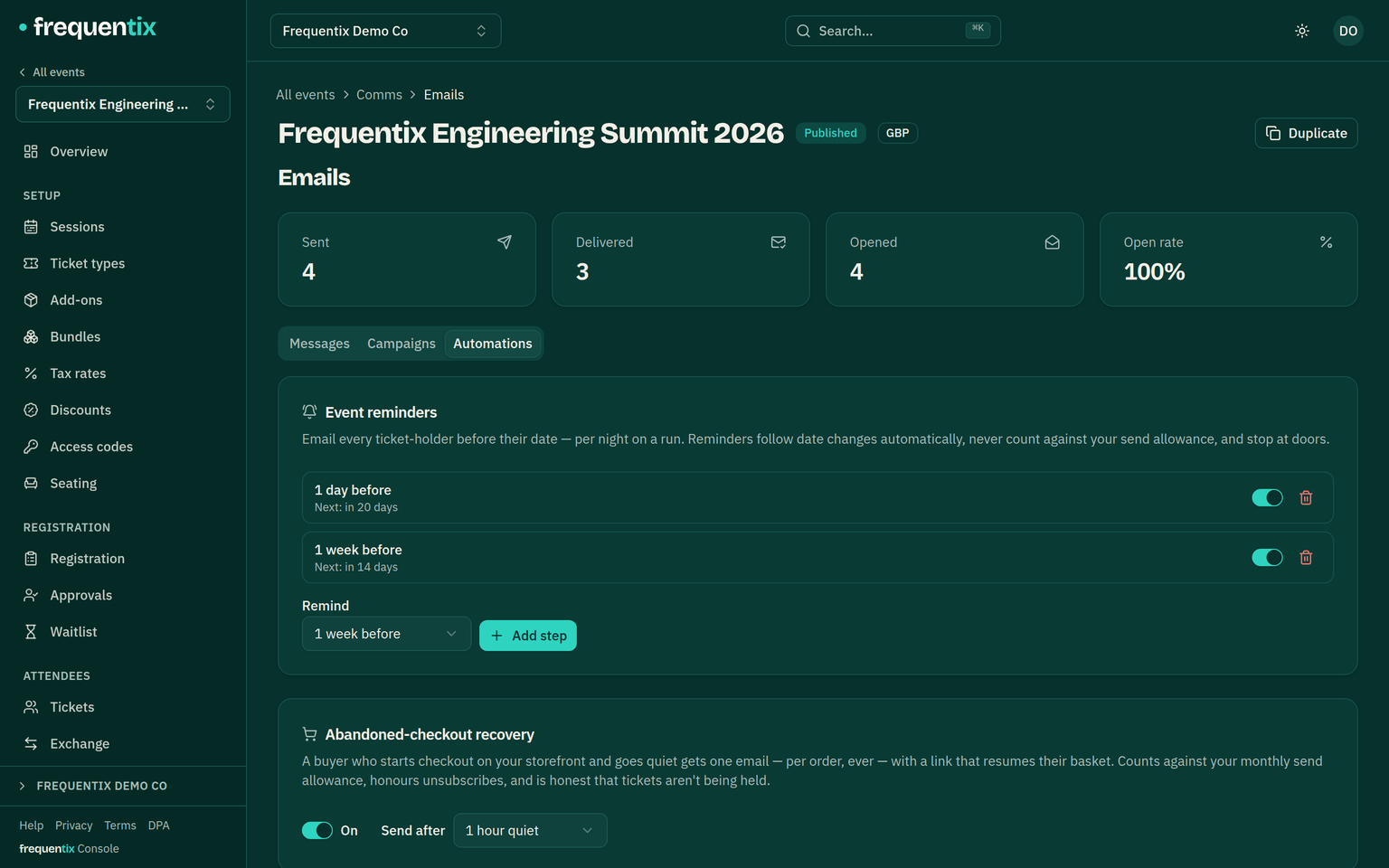
The Emails area’s Automations tab holds the sends that run themselves:
- Event reminders — add up to five steps (a week before, the day before, two hours before doors…) and every ticket-holder is emailed at the right moment. On a run, holders are reminded before their date; a pass covering the whole event is reminded once per step. Reminders are about tickets the recipient holds, so they send regardless of marketing unsubscribes, never count against the allowance, and never send after the date has started. Moving a date moves its reminders automatically.
- Abandoned-checkout recovery — switched on per event, off by default. A buyer who starts checkout on your storefront and goes quiet receives one email (per order, ever) with a link that resumes their basket. It respects unsubscribes and suppression, counts against the monthly allowance, and is honest that tickets aren’t being held — stock is re-checked when they return.
The monthly allowance
Discretionary email draws on a per-calendar-month allowance: none on Free and Starter, 25,000 on Pro and Enterprise. It’s a hard cap — a send that would exceed it is refused rather than partially sent — and transactional email never touches it. Campaigns count when they actually send (a campaign scheduled for next month draws on next month’s allowance), abandoned-checkout recovery emails count one at a time, and event reminders never count.
Unsubscribes & deliverability
- Every campaign carries one-click unsubscribe plus a footer link; unsubscribes apply immediately.
- Hard bounces and complaints drop a contact from future sends automatically — protecting your sending reputation.
- Erased contacts (GDPR) can never be emailed again.