
Reserved seating & seat maps
Design your venue once — rows, tables, standing areas, a floor plan underneath — and attach it to any event. Buyers pick their exact seats; you watch the room fill in real time.
Where to find it: draw a room under Design → Seat maps, then open your event and attach it under Setup → Seating.
Templates, versions, attaching
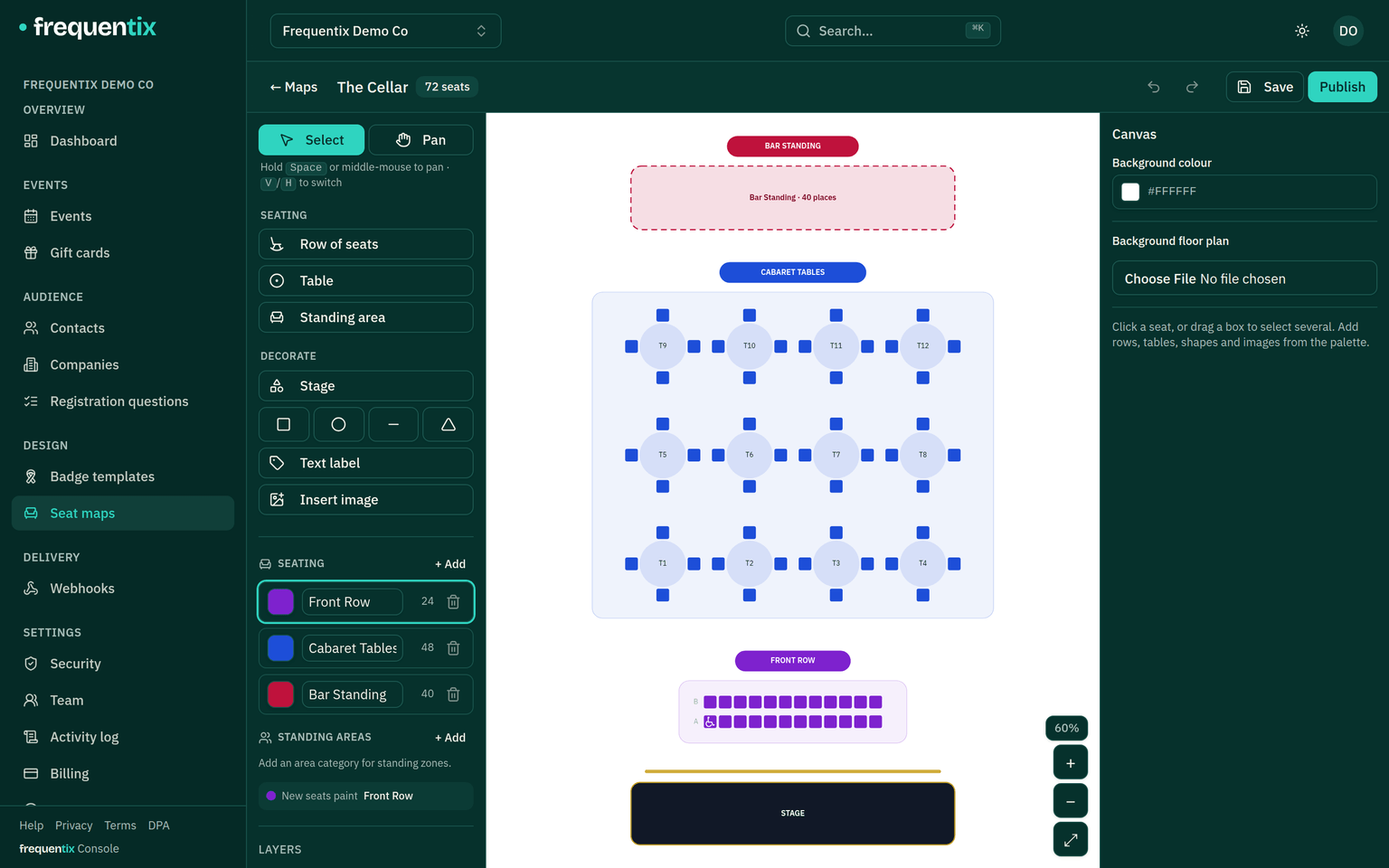
Seat maps are organiser-level venue templates, built in a drag-and-drop canvas: numbered rows, tables with per-chair booking, standing areas with a capacity, plus shapes and labels over an optional floor-plan image.
- Publishing a map fixes that version of it for good — seats can never move under an event that is already selling.
- An event attaches a published version. Editing the template later never moves seats on a live event; the event stays on the version it attached.
- Once seats are sold or held, the event can’t detach or switch versions — that’s what keeps every sold seat pointing at a chair that still exists.
Mapping categories to tickets
Every seat belongs to a category (Stalls, Balcony, VIP tables), and mapping categories to ticket types is what puts seats on sale. Capacity is derived from the map — a type mapped to 180 Stalls seats has a capacity of 180, and the number can’t be hand-edited. Blocking a seat (broken chair, production kill) shrinks the total; unblocking restores it. On a run, blocks apply to every date — a broken chair is broken every night — while sales are per date.
The live seat chart
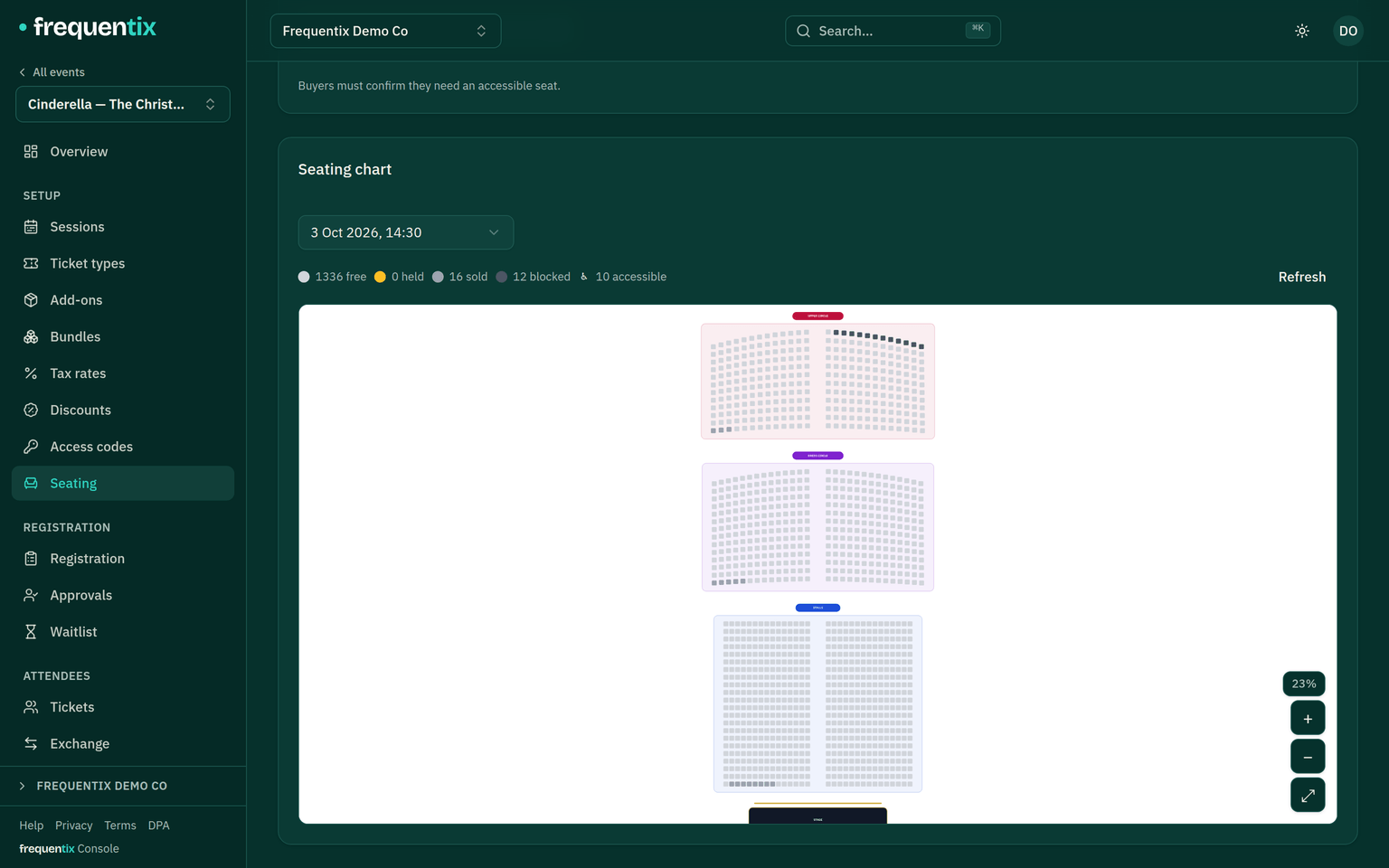
Each seated event has a live chart: every seat coloured by state — available, held, sold, checked in, blocked. Drill into any seat to see its category, ticket type, order, buyer, current holder, block reason or hold expiry. When a refund releases a seat, it goes straight back on sale and the waitlist fires.
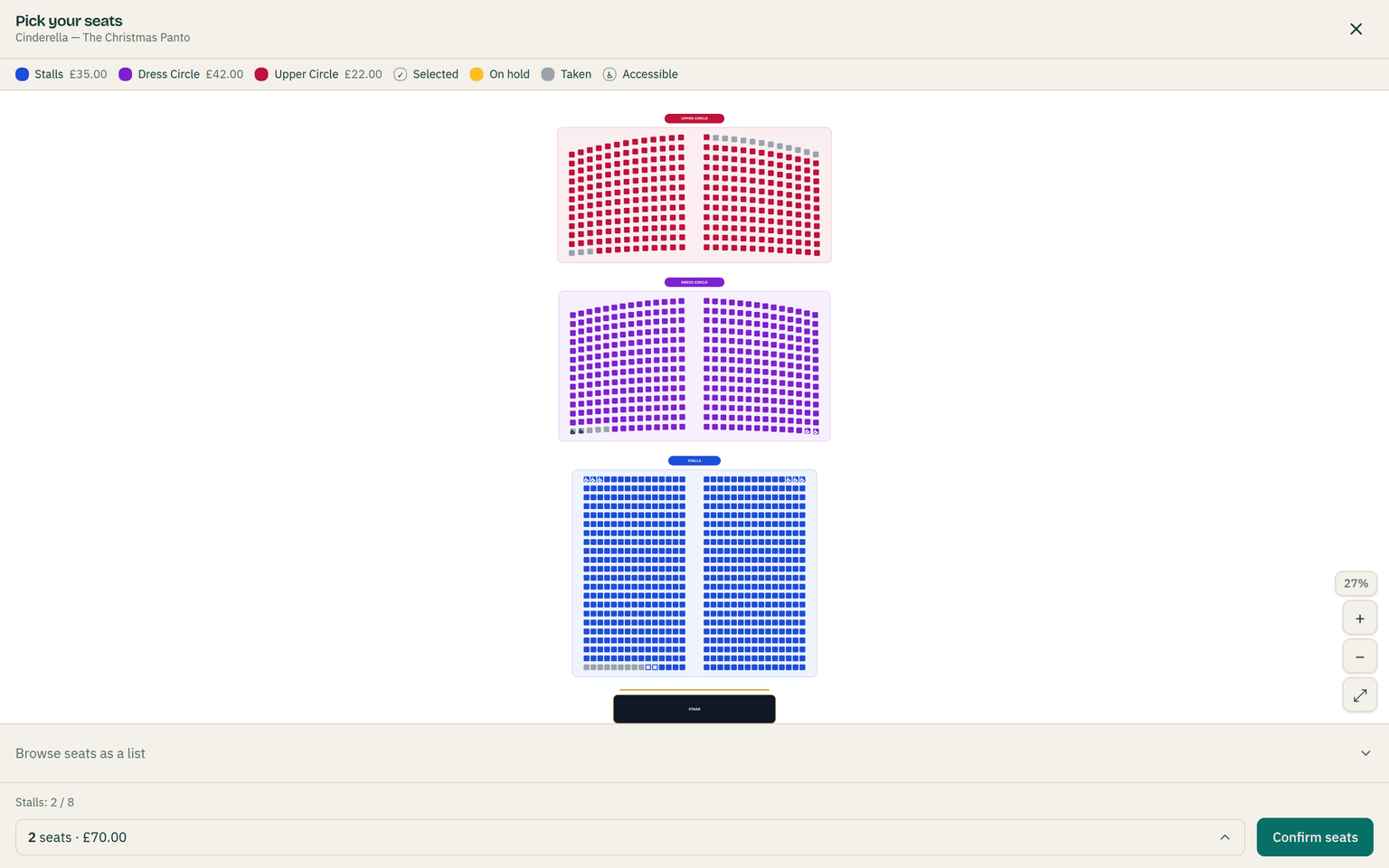
On the buyer’s side, availability refreshes about every ten seconds and a basket line holds up to 20 seats. The picker also defends itself: if someone else takes a chosen seat first, those seats are dropped and the map reopens with a message; if you republish the map mid-sale, buyers are moved onto the new version rather than shown stale seats.
Reseating an attendee
- Move any valid (even checked-in) ticket to a free seat; the ticket’s QR is re-issued so the old one stops working.
- Moving across price bands is refused unless you explicitly opt in — the console shows what differs before you confirm.
- No money moves. Reseating never charges or refunds; any price difference is yours to settle separately.
Accessible seats
Mark seats accessible in one of three modes: open (badged, freely bookable), confirm (the buyer ticks an acknowledgement first) or staff only (never sold online; you assign them). The seat is described as accessible in text, not just drawn with a symbol, so screen-reader buyers get the same information.
At the door, seat labels (“Stalls · Row A · Seat 4”) appear on Scanner verdicts, and Box Office can sell seats in person from the same live availability.