
Sessions & runs (multi-date events)
Sessions turn one event into a run of dates — a theatre run, a weekly class, timed-entry slots — without cloning the event. One event page, one configuration, many dates.
Where to find it: open your event, then Setup → Sessions in the sidebar.
What sessions are
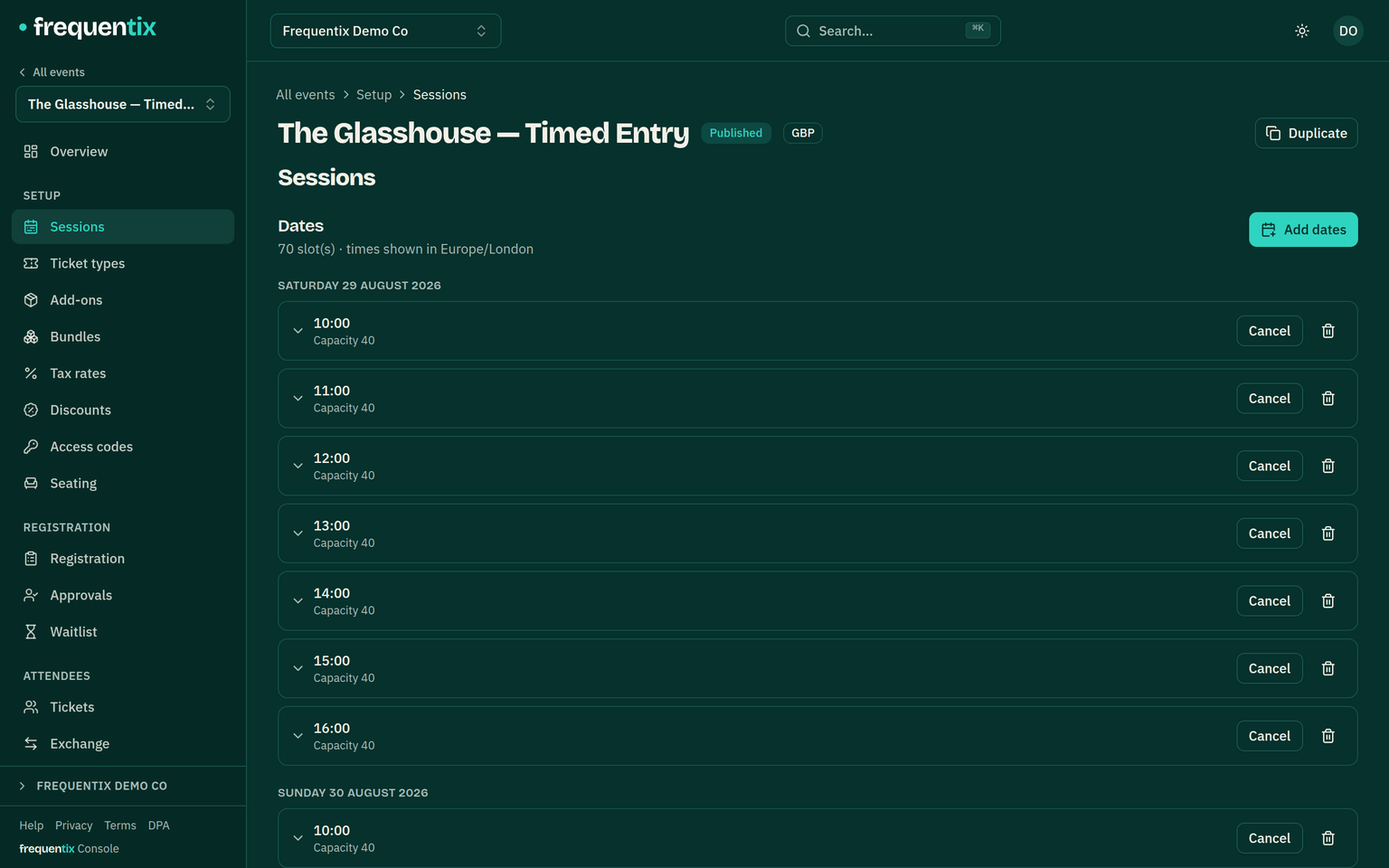
A session is a date (or slot) the event admits on. An event without sessions behaves exactly as before — everything here is opt-in. Each ticket type is either sold once across the whole run (a season pass) or per date (a night’s ticket); the buyer picks their date on the storefront before choosing per-date tickets.
What becomes per-date
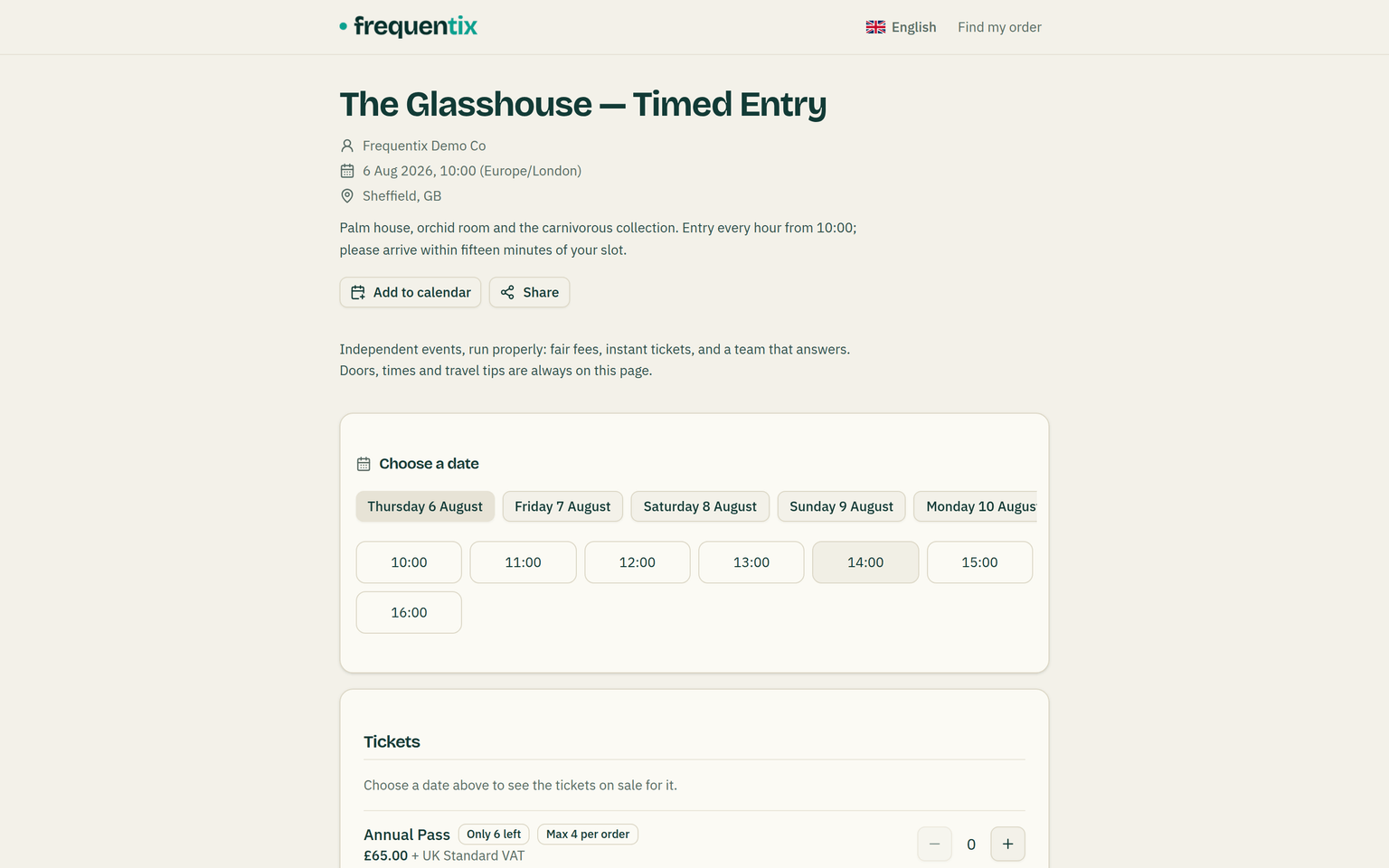
- Stock — each date carries its own numbers, and a date can also carry a whole-slot capacity cap across types.
- Per-order maximums — a cap of 4 admits 4 on Friday and 4 on Saturday in one basket.
- Waitlists — buyers queue for a specific date and can queue for more than one; see Approvals & waitlists.
- Sales reporting shows each date’s numbers alongside the run’s total.
- On the storefront, buyers pick their date first and no date is ever pre-selected — buying the wrong night is the mistake the picker exists to prevent. A basket can hold several dates at once (Friday and Saturday in one purchase), each line labelled with its night.
- Calendar files follow the buyer, not the run. An order’s add-to-calendar carries only the nights that buyer holds, and a timed-entry day collapses to one diary entry spanning its opening hours — never ninety-six slots.
Generating a run
Generate dates on a daily, weekly or monthly pattern with a preview before anything is created; re-running only fills missing dates. Admission windows (when the gate accepts each date’s tickets) are set per date, defaulting to 60 minutes before until 30 minutes after start. Deleting a date is refused while anything is live on it — sold, held, waitlisted or awaiting approval — and the console names the reason.
Cancelling one date
When you cancel a single date of a run, in one action:
- Selling for that date stops, and it disappears from the storefront’s date picker.
- Active baskets holding that date are released — seats included. A buyer mid-checkout isn’t dead-ended: exactly that night’s lines leave their basket with a message naming the date, and the rest of their order carries on.
- Sold tickets stay valid and refundable; wallet passes for that date grey out on buyers’ phones.
- Every holder is emailed once (a buyer with six tickets gets one email saying six), telling them you’ll be in touch.
At the gate
A ticket for a cancelled date is denied at the door with a “session cancelled” verdict, and a ticket presented on the wrong date of a run is denied as outside its admission window — Scanner shows the reason either way.