
Badges: design & printing
Conference lanyards, expo name tags, crew passes: design them once in a drag-and-drop editor, and print any attendee’s badge from the console.
Where to find it: design under Design → Badge templates, then open your event and pick a template on the ticket type that should carry it.
What badges are
A badge is a printable card rendered per ticket: the attendee’s name, their company, their ticket type, your artwork — and, when you place one, a QR code that scans at the door exactly like the ticket itself. Four ready-made platform templates (an A6 name-and-QR, a compact A7, a landscape conference card and a portrait lanyard) ship as starting points; duplicate-and-edit or design from blank.
The editor
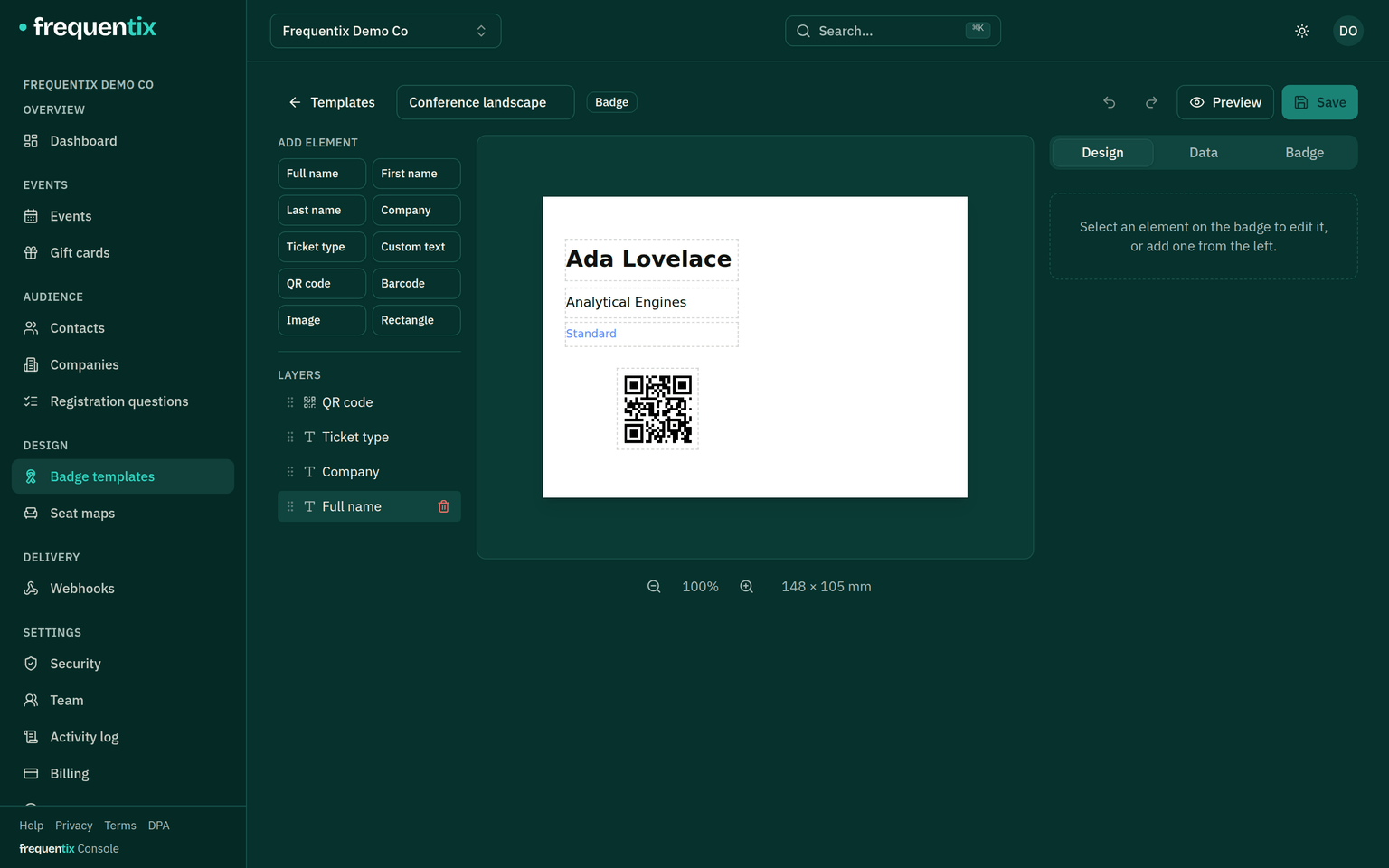
- Ten element types: full name, first name, last name, company, ticket type, custom text, QR code, barcode, image and rectangle — dragged, resized and layered on a live canvas with snapping, undo and zoom.
- Seven size presets from A4 down to a CR80 name-tag card (86 × 54 mm), plus lanyard and conference formats — or any custom size from 10 mm up to 297 mm, either orientation.
- Nine typefaces, with per-element size, weight and alignment; text that outgrows its box can shrink, wrap or clip — your choice, so a long name can’t silently break the layout.
- A live preview renders the design with sample data as you work, so what you approve is what prints.
- The attendee’s company — collected as a registration answer at purchase — prints on the badge beside their name and ticket type, so nobody re-types it. Other answers, like job title or dietary requirements, stay on the order and in exports; they are not badge fields.
Templates & which one prints
A template is organiser-wide or event-scoped, and one can be the default. A ticket type can pin its own template — VIP passes on the lanyard, day tickets on the card — and the most specific template wins: the ticket type’s, then the event’s default, then yours. A ticket type can also opt out of badges entirely, for electronic-only tickets.
Printing
Badges render from the console — an attendee’s row or their order — as PDF or PNG, sized exactly to the template, ready for your badge printer. Scanner and Box Office don’t print badges; the door scans them. Designing templates and printing badges are separate permissions, so front-desk staff can print without being able to edit the design.