
Memberships
A membership sells a relationship rather than a night: the member pays once for a fixed term — a year, a season — and for that term your storefront treats them differently. Cheaper tickets, members-only tickets, earlier on-sales, included tickets: you choose which, per plan.
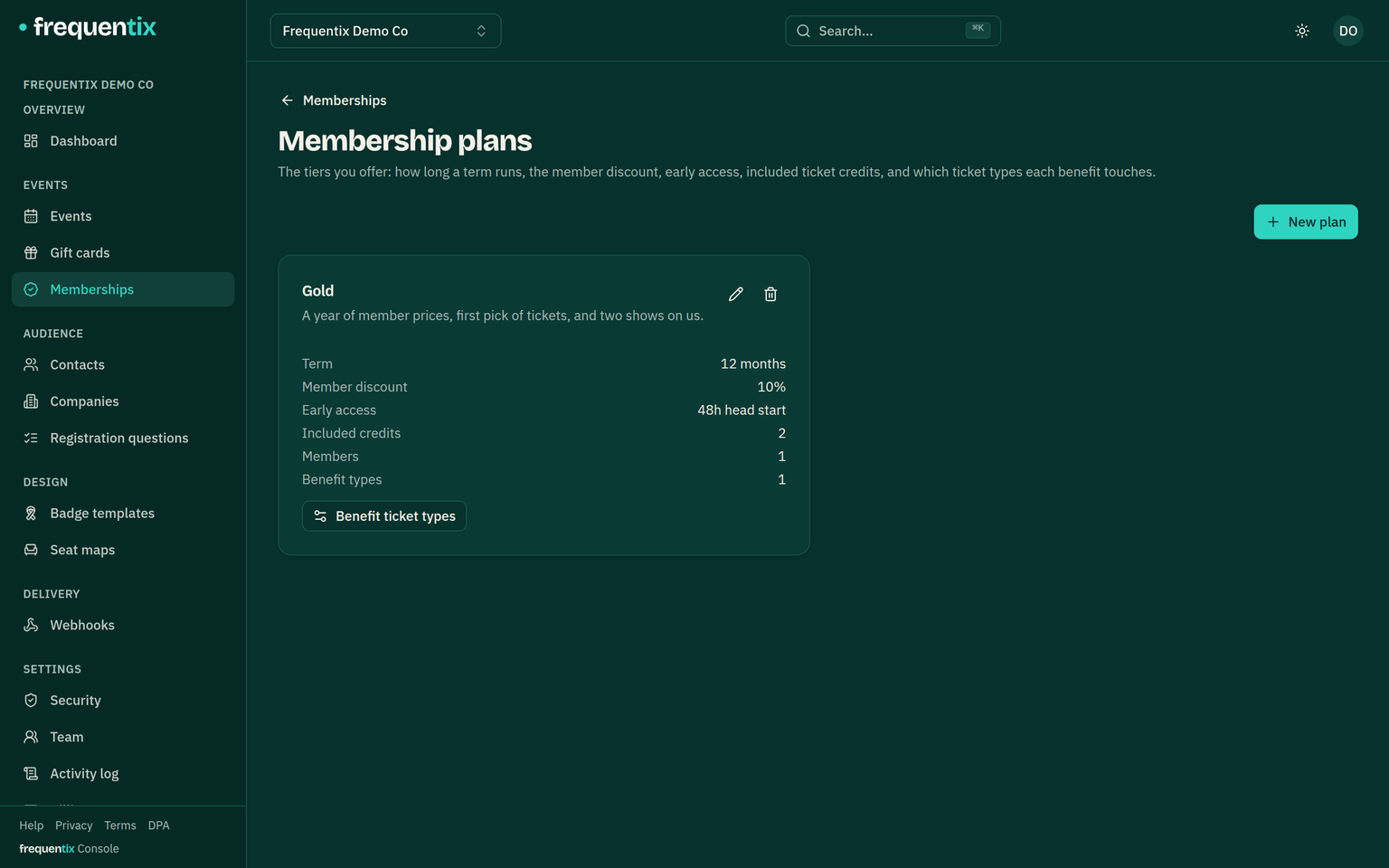
Where to find it: define plans under Memberships → Plans, then sell one by adding a ticket type to any event and setting its kind to Membership. The member ledger lives under Memberships.
What a membership is
A plan holds the offer: a name, a term in months, and the benefits — a percentage off, early-access hours, included credits. Selling it works like everything else here: a ticket type of the membership kind, on whichever event you like (most organisers create a simple “Join” event to carry it). The type has its own price and stock like any other, and the moment its order is paid, the member’s term starts.
There are no member accounts and no passwords. The welcome email carries the member’s private membership link — that link is their membership, so it should be treated like a ticket: anyone holding it is the member as far as the storefront is concerned.
Setting one up
- A membership purchase is one per order line and needs the member’s name and email at checkout — the welcome email must have somewhere to land.
- Benefits are wired per ticket type on the plan: for each of your ticket types you choose whether it is member-only, credit-eligible and/or gets early access. The percentage discount needs no wiring — it applies to standard tickets across your events.
- Duplicating an event carries its membership ticket type and the per-type benefit wiring onto the copy, so next season’s events keep working for members without re-setup.
What members get
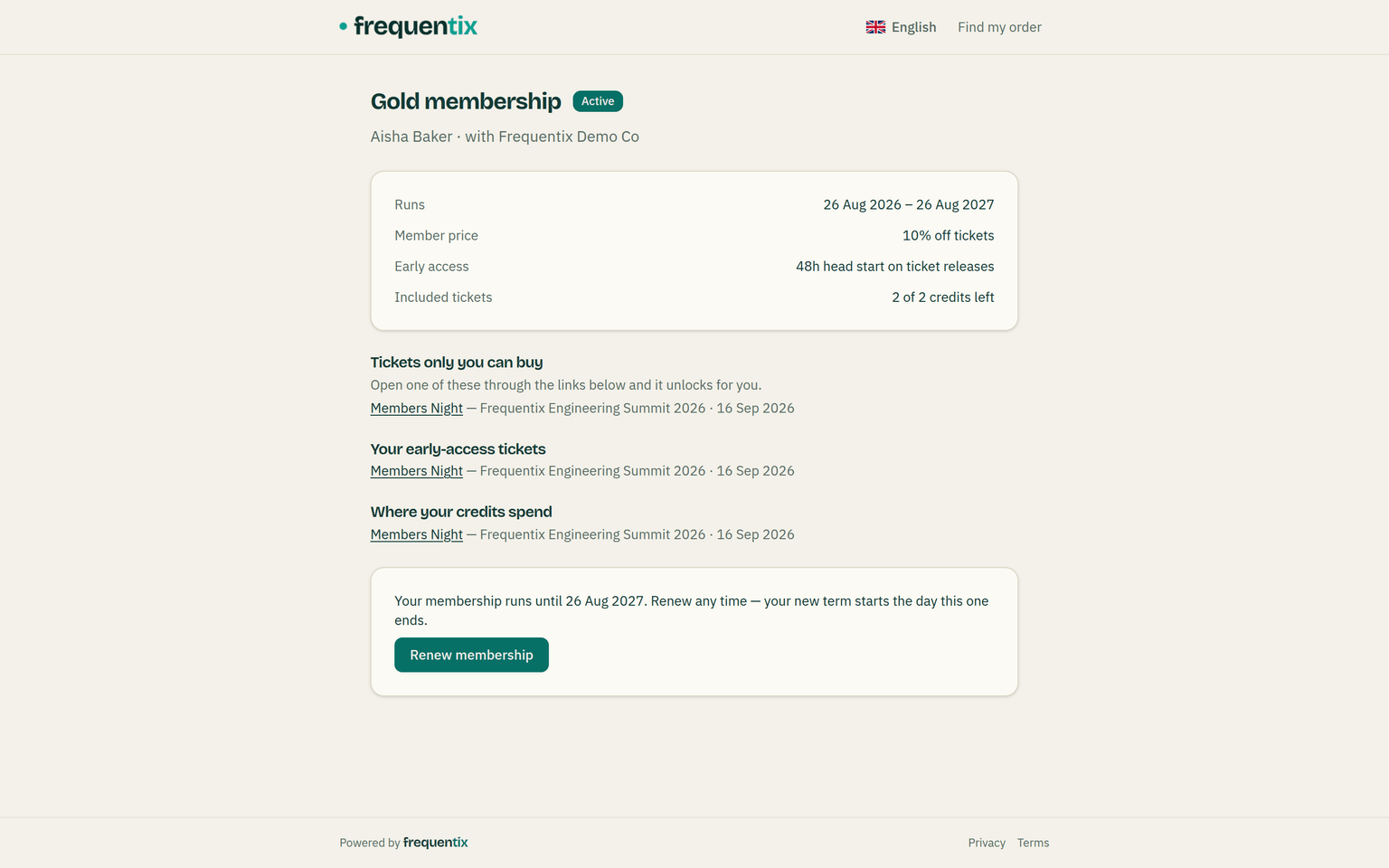
- The membership link opens the member’s own page: their term, their plan’s benefits, how many credits remain, and — while you still sell the plan — a renew button.
- Every event link from that page opens your storefront recognising the member: a banner confirms who they are, member-only tickets appear, early on-sales are open, prices show their discount at checkout, and eligible tickets offer a “use credits” choice.
- Recognition rides the link. A member who arrives without it (a shared URL, another device) buys as an ordinary buyer — send them back to their membership page, or resend the welcome email from the console’s member ledger.
The four benefits
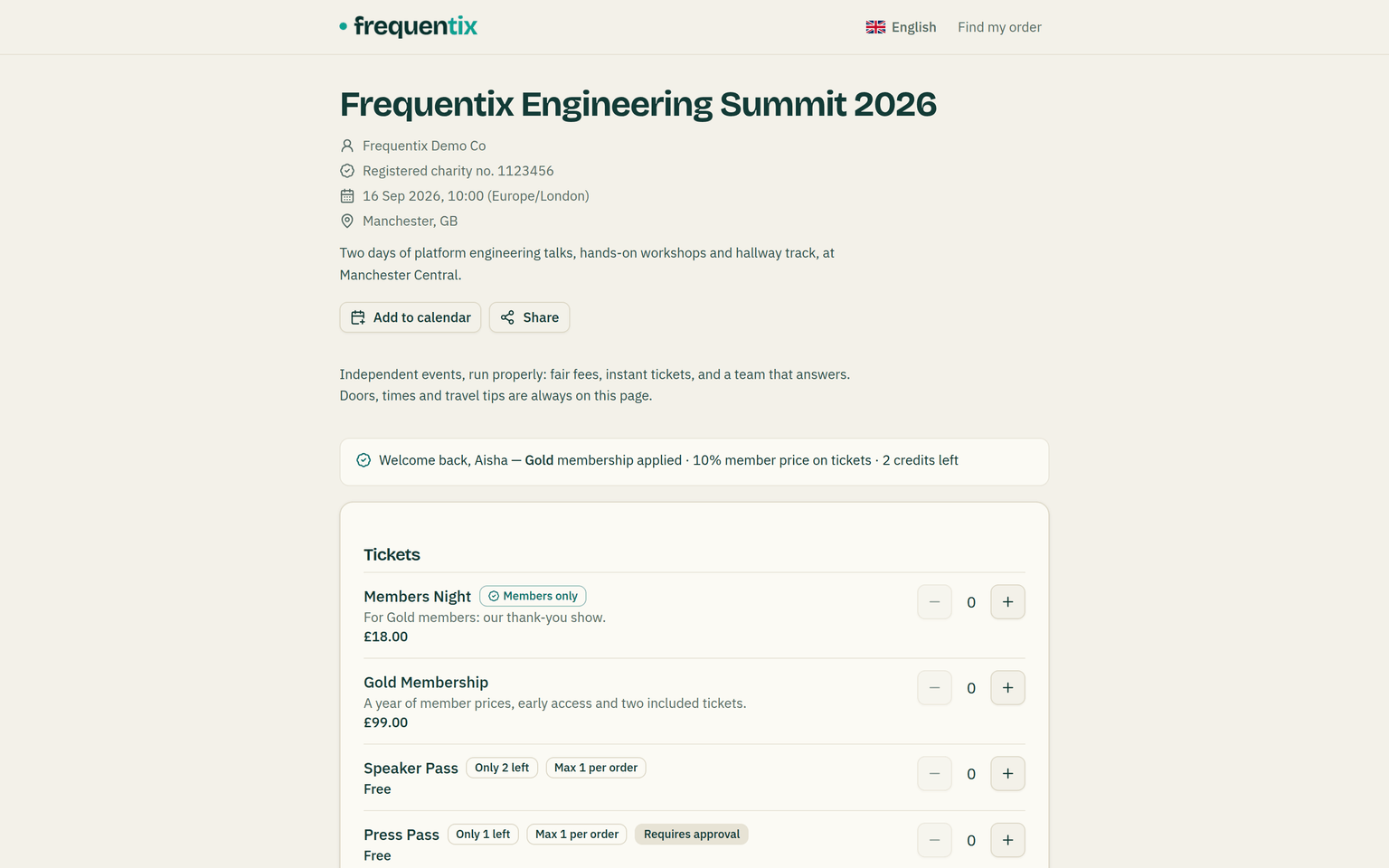
- Member pricing. The plan’s percentage comes off standard admission tickets — not add-ons, bundles, name-your-price amounts or donations. It never combines with a discount code: one or the other per order.
- Member-only tickets. A member-only type is hidden from everyone else and refuses checkout without a recognised member whose plan unlocks it — a leaked link shows why it’s locked rather than selling.
- Early access. The plan’s head start opens a ticket’s scheduled on-sale that many hours early for members, on the types you marked. It only ever opens sales earlier — a sale that has ended stays ended.
- Included credits. The member chooses how many credits to spend per eligible ticket at checkout; each credit prices one ticket free, drawn from the term’s remaining balance shown at the point of choosing. A fully-credited basket checks out with nothing to pay.
Renewals & the reminder
Renewing is buying the same plan again — the renew button on the member’s page leads straight there. Renewing early loses nothing: the new term starts the moment the current one ends. A reminder email goes to the member 14 days before their term expires; members who already renewed, cancelled or lapsed are left alone. An expired member keeps their page (marked expired, with the renew button) but no benefits.
Cancelling, refunds & privacy
- Membership purchases — and any order that spent credits — sit outside buyer self-service cancellation. Cancelling a membership from the console stops its benefits at once; whether any money comes back is your separate refund decision, and refunds don’t restore spent credits.
- The console’s member ledger shows every membership with its status, term and credit history, and can resend a welcome email or cancel a membership. Viewing and managing are separate permissions, so front-line staff can look members up without being able to cancel them.
- Erasing a contact immediately disables their membership link, so an erased person’s credential cannot keep working.