
Season passes
A season pass sells a whole season of separate events as one purchase: every home game, a year of headline shows. The buyer pays once and immediately holds real tickets for every covered event — each valid at its own door, in their wallet, from day one.
Where to find it: create an event to act as the season (say “Season 2026/27”), add a ticket type and set its kind to Season pass, then pick the covered events on the type.
What a season pass is
A pass is a ticket type of the season-pass kind on a container event you create for the season. The container is an ordinary event, so everything you already know works on it: scheduled on-sales, discount codes, invoices, staff refunds, your branding, the embed. Season revenue reports as the season’s own sales — which is usually the number you want.
What the pass covers is a list of your other events — up to 50 — each naming which of its own ticket types pass holders are admitted as. That keeps every covered event’s door lists, per-type counts and reports truthful: a pass holder appears there as an ordinary ticket of a type you chose.
Setting one up
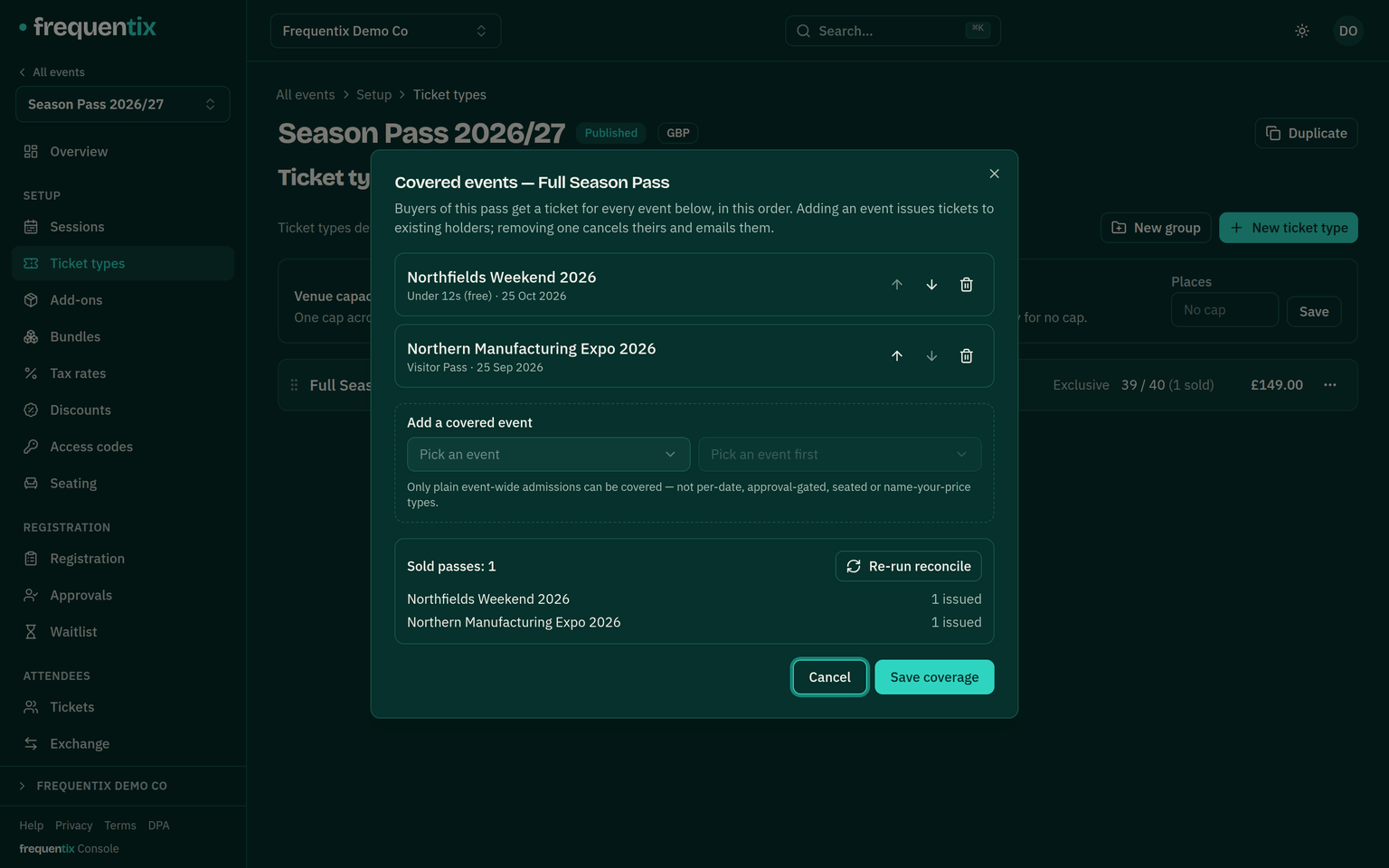
- Only plain event-wide admission types can be covered: no per-date types, seated types, approval-gated types or name-your-price types. Every covered event must use the pass’s currency.
- The pass has its own price and its own stock cap, like any ticket type. It can’t itself be name-your-price, approval-gated or sold per date — it is the season, not a night.
- Duplicating a season’s container event copies the pass but deliberately not its covered events — next season must not resell last season’s nights — so a cloned season starts with an empty coverage list to fill in.
What buyers get
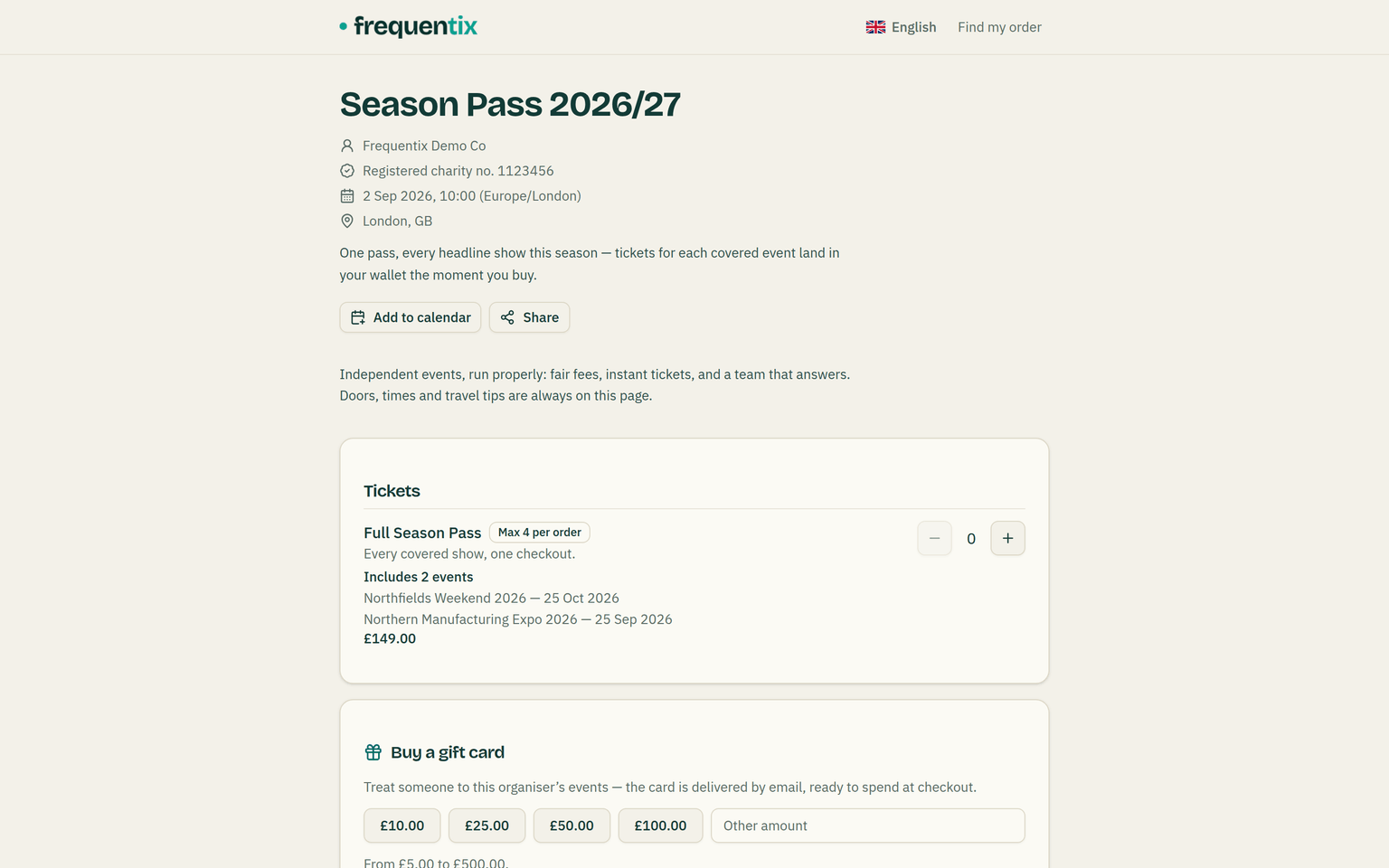
- During checkout, a pass reserves real capacity on every covered event. A covered event that is full stops the pass from selling — the buyer is told which event — so a pass can never oversell a house.
- The moment the pass is paid, tickets for every covered event are issued: wallet passes, per-ticket transfers and each event’s scanning all behave as if the buyer had bought each ticket separately. There is no pass to scan.
- One order link covers the whole season: the buyer’s order page lists each covered event with its tickets, and the confirmation email lists the season.
Changing the season later
Add an event to a sold season and every pass holder receives its tickets automatically, in the background. Holders a full house cannot fit are never oversold: they are listed by name against the event in the console’s coverage view, and a retry fills them once you raise capacity. Remove a covered event and its pass-issued tickets stop working everywhere — scanners included — with each holder emailed once. The money stays on the pass; any goodwill refund is yours to make from the console.
Refunds & the door
Pass orders sit outside buyer self-service cancellation: unwinding a season — and deciding what happens to its remaining nights — is a console decision. On the door, nothing changes at all: staff scan ordinary tickets of types they already know, and a revoked or transferred ticket behaves exactly as it does anywhere else.