
Branding, content & white-label
The storefront and the emails your buyers see can carry your brand, your words — and at the top tier, none of ours.
Logo & colours
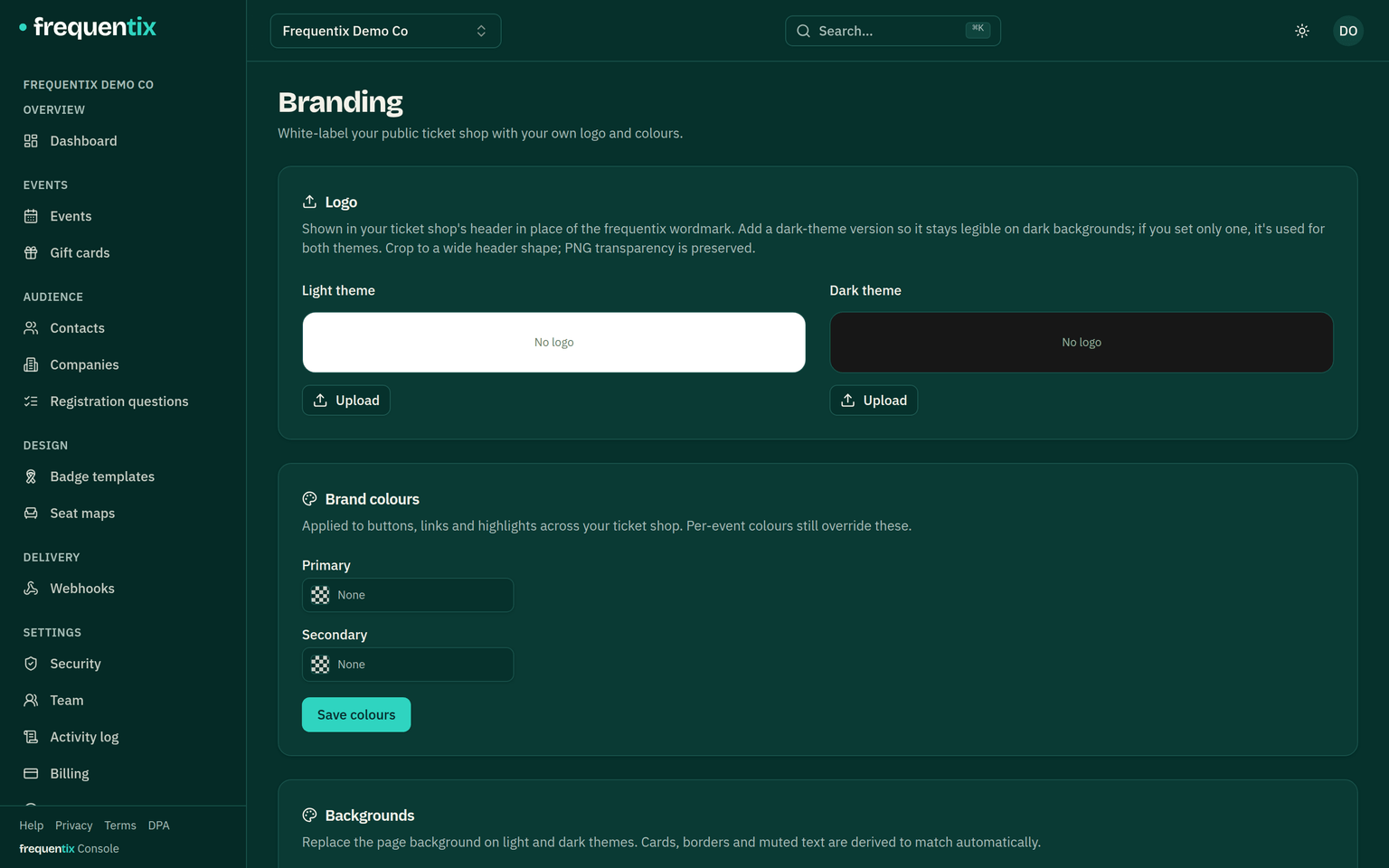
On Starter and above, each event carries its own logo and brand colour — the storefront and buyer emails for that event take them on. On Pro and above, Settings → Branding opens the organiser-wide palette: a secondary colour, the page backgrounds in light and dark, and a dark-mode variant of your logo. Your logo does double duty — it becomes the icon on wallet passes and the image on shared links and social previews.
Your words on the storefront
Five storefront content slots let you write the fixed texts buyers read: the event-page intro, checkout notes, the confirmation message, door instructions (shown beside the tickets on the buyer’s order page) and the registration intro. Organiser-level defaults apply everywhere; each event can override any slot, blank fields inherit, and every slot is authored per language.
Those five cover the event pages. Your public page carries a sixth of its own — a page intro above the event list, edited under Settings → Public page rather than with the others, because it belongs to you rather than to any one event. It and the event-page intro are the two slots that also take images.
Your voice in the emails
Email content does the same for what frequentix sends on your behalf. Eleven email types take your wording — order confirmation, ticket delivery, order recovery, waitlist offers, the three approval-request emails, date-cancellation notices, company invitations, and the two automated journeys (event reminders and basket recovery) — each with an editable subject, intro and outro around the platform’s structure, previewed inbox-accurate as you write. Two deliberate exceptions: the date-cancellation subject stays platform-set (it carries the cancelled date), and order recovery is organiser-level only.
Full white-label
Full white-label takes frequentix out of the frame entirely: the frequentix wordmark and the “Powered by frequentix” footer disappear from the whole buyer journey — event page, checkout, order page, documents — leaving your identity end to end. Even while a white-labelled page is still loading, no frequentix mark ever flashes.