
Discounts, access codes & tax rates
Three levers on what a buyer pays and sees: discount codes cut the price, access codes reveal hidden tickets, and tax rates decide the VAT inside it all.
Where to find it: open your event, then Setup → Discounts, Setup → Access codes or Setup → Tax rates in the sidebar.
Discount codes
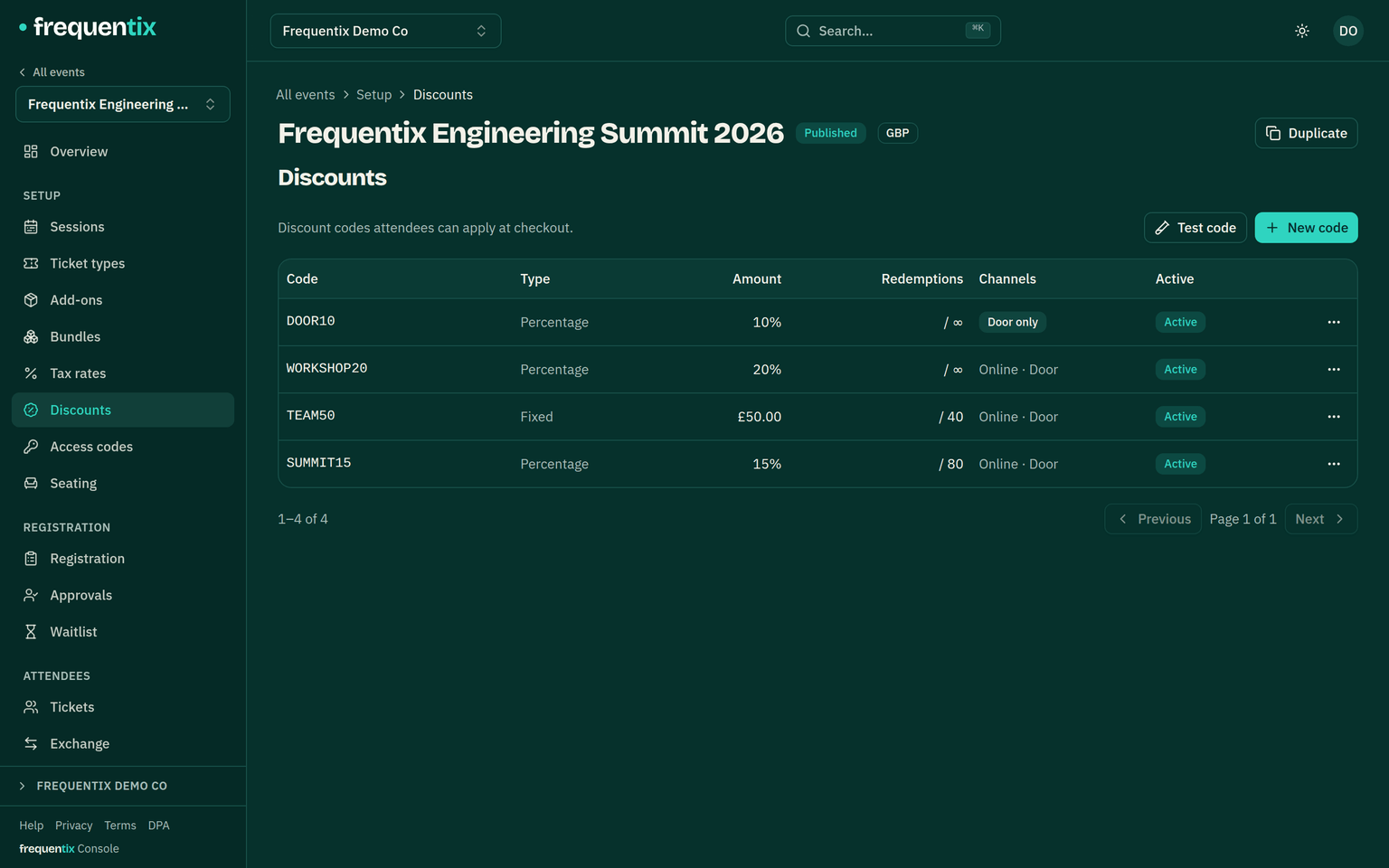
A discount code takes a percentage or fixed amount off at checkout. Codes are created per event, can be limited in how often they’re used, and every redemption is tracked against the buyer — the basis of the attribution reporting on what each code actually sold.
- Buyers apply a code in the basket; the discount shows per line, and a refused code says why — expired, used up, or not yet active — rather than a bare “invalid”.
- Test code (next to New code) previews any code against a hypothetical basket, showing exactly which lines it reaches and by how much — check the maths before the code is ever public.
- Codes you enable for the door can be applied in Box Office too — a discounted door sale asks for the buyer’s email so the redemption is tracked.
Access codes
An access code doesn’t change a price — it reveals hidden ticket types. Buyers enter the code on the event page (or arrive by a private link) and the hidden types appear for them alone: pre-sales, guest lists, member allocations. What the code opened is made obvious — the revealed rows animate in badged Unlocked, and the confirmation beside the code counts them. Access codes are on every plan.
Tax rates
Each event defines the VAT rates its ticket types and add-ons charge at. The rate flows everywhere the price goes: storefront totals, order records, and onto invoices and receipts with the correct breakdown. Set rates before sales start — the tax on a sold order is part of its permanent record.