
Box Office: selling at the door
Box Office is the frequentix door-sales app: it sells — Tap to Pay on iPhone, cash or free — and it scans, exactly as Scanner does. One paired phone is a till and a gate at once.
Box Office is a native app for phones and tablets, out of reach of the pipeline that captures this help centre’s screenshots — so the phone screens in this article are drawn illustrations rather than captures. Every other article here is illustrated with real screenshots.
Where to find it: open your event, then On-site → Box office in the sidebar. The handsets themselves are under Settings → Devices.
What Box Office is
- Payments run Tap to Pay on the device — no card reader hardware — plus recorded cash and free issue, all settling to your own Stripe account (Getting paid).
- Devices pair exactly like Scanner — a short code, no logins — from the event’s Box office tab or Settings → Devices. The activation screen accepts only pairing codes: point its camera at a ticket by mistake and the app says “That’s a ticket, not a pairing code” rather than sitting silent — pair the device first, then scan tickets. The first time the camera is needed — scanning the pairing QR, or tickets at the door — the app explains why before the phone itself asks; the 6-digit code pairs without it. If camera access is switched off, the app points to the phone’s settings, and check-in by name or reference still works.
- Until Stripe onboarding completes, Tap to Pay hides and the app says so — cash and free still work.
- Card payments need your business address. Stripe registers door readers against an address, so once your Stripe account can take payments, pairing a new box office device is blocked until one is set under Settings → Payment onboarding (prefilled from your invoicing address — that page shows a Tap to Pay ready check beside the Stripe ones). Before Stripe is connected there is nothing to register, so pairing isn’t blocked: the device sells cash and free.
- Selling needs a connection; the scanning half keeps its offline behaviour.
The door catalogue
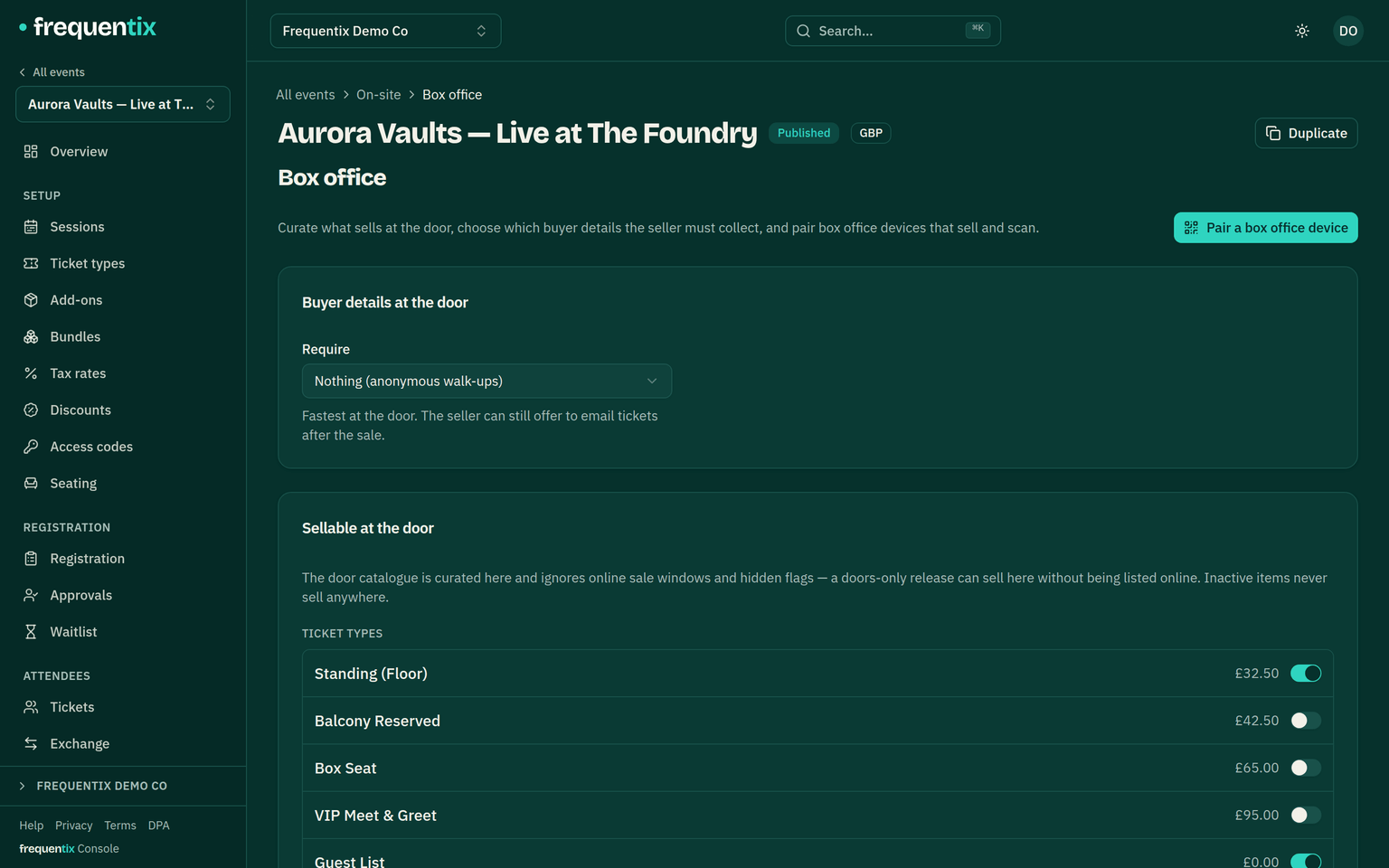
What the door sells is curated separately from the storefront: only ticket types and add-ons you’ve enabled for door sales appear, and online sale windows are ignored — online sales closing at 6pm doesn’t stop the door selling at 7. A door-only add-on (programmes, merch, cloakroom) can exist without ever touching the website. Seated types sell from the same live seat map the storefront uses.
A sale, start to finish
- Build the basket from the catalogue.
- Take payment — Tap to Pay, cash, or free. Discount codes enabled for the door apply here (a discounted sale asks for the buyer’s email).
- Check in on the spot — all tickets or a selection — recorded exactly like a gate scan, so attendance numbers stay true. Only tickets this device’s lane actually admits are pre-selected; a device standing at no entry point can sell but not scan, so its card offers to choose an entry point right there instead. If a check-in fails, the app names the reason rather than just saying to try again.
- Optionally email the tickets.
- Walk-ups can be fully anonymous — you choose per event whether the door asks for nothing, an email, or email and name.
- A draft sale holds real stock for 15 minutes; abandoning it releases stock and seats immediately. A walked-away basket can’t quietly hold four seats all night.
Cash refunds & the end-of-night cash-up
- Hand cash back and record it in one step. Open the order in the console and choose Record cash refund — no money moves through Stripe (you return the cash yourself), and the record does everything a card refund does: tickets cancel, seats go back on sale, the waitlist is offered, your reports update. Full and partial refunds both work. See Orders, tickets & refunds.
- Every device-sold order remembers its till, and the Box office tab’s Cash drawers card says what should be in each drawer at the end of the night: takings by payment method with recorded cash refunds already netted out, per date on a run. Sales made from the console (and anything sold before drawer tracking existed) show as an unattributed row rather than disappearing.
- A refund counts against the till that sold the order, whichever device the money was physically handed back from — worth knowing when two tills reconcile separately.
Receipts & the claim QR
- The device shows an itemised receipt the buyer can take by email, SMS or QR.
- Even an anonymous sale mints a claim QR: the buyer scans it and lands on their own order page — tickets, wallet passes, receipt — exactly as if they’d bought online.
- Formal VAT documents issue server-side by the same rules as online orders.
Devices across events
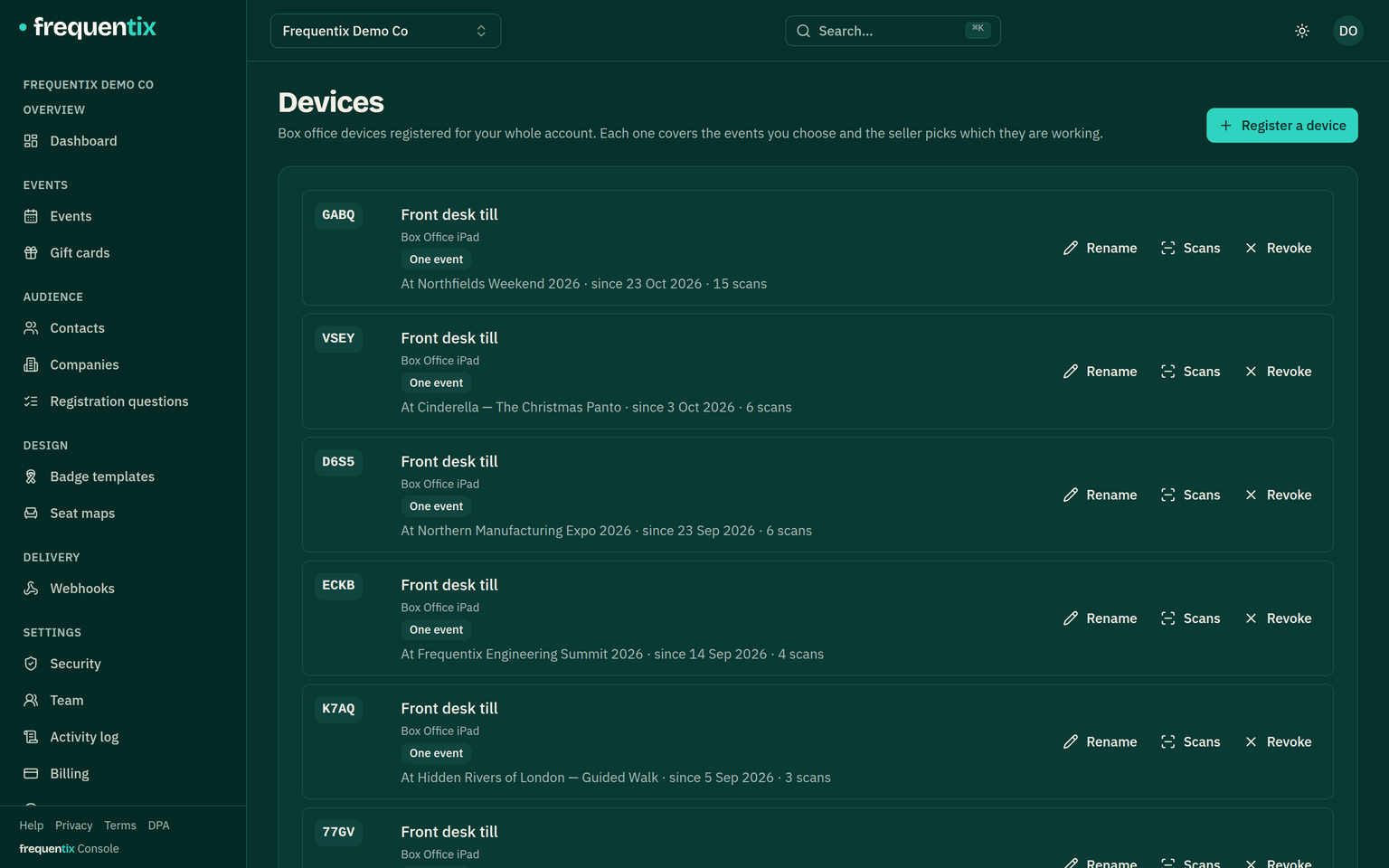
A Box Office device registered at organiser level (Settings → Devices) can cover many events — all of them, or a list — but works one event at a time: staff activate the event they’re selling for, and switching waits for open payments and queued scans to settle first — so one event’s sales can never end up recorded against another. The device picks its entry point per event as it goes: an event with a single entry point is chosen automatically, with several the seller picks one, and with none chosen the device can sell but not scan.
Change event sits under the event name on the app’s home screen and again on its Session tab, so “I’m on the wrong show” is answerable from the screen that raises the question. A device pinned to a single event never sees it. The event list marks which one the device is currently working, distinctly from the one the member of staff has just tapped.
Change entry point works the same way, from the Entry point row on the home screen — and the door’s name in the scan screen’s top bar opens the same picker. Moving door mid-shift keeps the basket and the offline ledger; only queued scans have to upload first, because every scan is recorded against the gate that made it. And if a scan is refused because no entry point is chosen yet, the scan screen says so and offers the picker in place.
The Session tab is where a shift is accounted for, and it holds the device’s two exits — made to look and feel different, because Close event & wipe device ends the pairing altogether while Change event just moves it.
Getting help from the door
Get help on the Session tab sends a request to your own team, not to frequentix. It arrives under Help → Support tickets in the console with the app version, the entry point and the device's sync state attached, so whoever answers can see what the door was seeing. While the request is open the device checks for your reply and marks the Get help button when one arrives; opening the request shows the conversation, and your door staff can answer from there. Box Office requests are text only, and both a new request and a reply need a connection — nothing is queued, so an operator who is offline is told the message did not send rather than left assuming it did. If it turns out to be something for us, escalate it from the console and the whole conversation comes with it.