
Registration questions
Registration questions turn a checkout into a registration: dietary requirements, company and job title, session choices, consent boxes — asked at exactly the right moment, and required before payment.
Where to find it: questions live organiser-wide under Audience → Registration questions; you arrange them into steps by opening your event, then Registration in the sidebar.
Building the questions
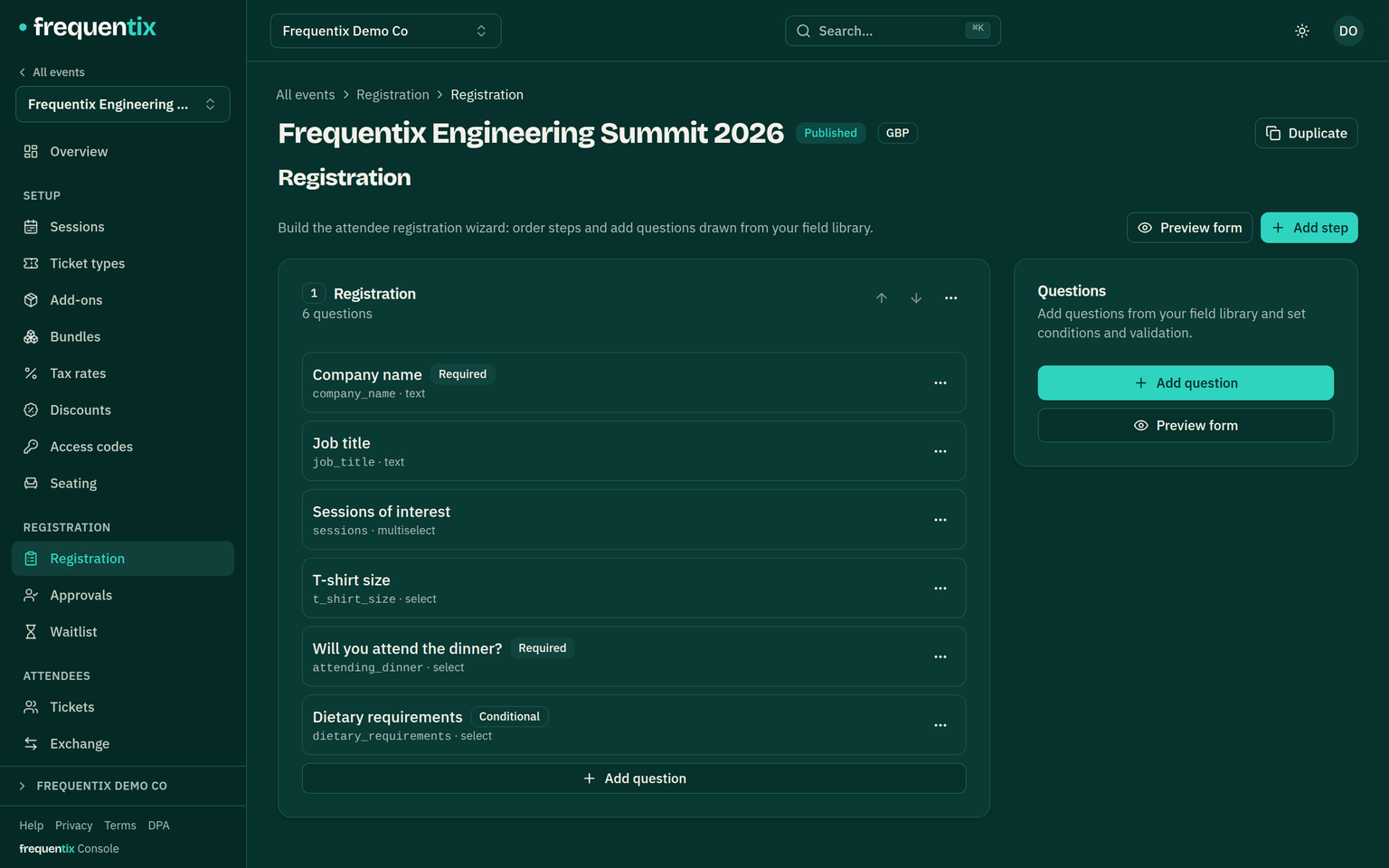
- Questions live in a shared library (Audience → Registration questions, organiser-wide), so “Dietary requirements” is written once and reused across events.
- Thirteen field types cover the usual ground: short and long text, number, yes/no switch, single and multiple choice (dropdown, radio or checkboxes), date, email, phone, web address and country.
- Each event arranges questions into steps — pages of the wizard the buyer walks through.
- A question applies per order (billing contact, heard-about-us) or per ticket (each attendee’s name-badge details), and can target specific ticket types — the VIP dinner question only appears when a VIP ticket is in the basket.
- Conditional questions appear based on earlier answers — “Which allergy?” only after “Yes”.
- A live preview in the console shows the wizard exactly as buyers will see it.
What buyers experience
After choosing tickets, the buyer walks the steps you built. Only questions relevant to their basket appear, and every required question must be answered before payment unlocks — an incomplete registration can’t become a sale. Answers save when the order completes, not as they type — the wizard is kept short so that’s never a burden, and a buyer who wanders off mid-form hasn’t left half an answer set behind.
Where answers end up
Answers attach to the order and to each ticket, visible in the console on the order record and in exports; the company-name answer also prints on badges. Per-ticket answers follow the ticket — reassigning it to a new attendee is the moment to collect theirs.