
Embedded checkout
Sell from your own website. The full checkout — tickets, seats, registration, payment, confirmation — renders inside your page, and the buyer never leaves your site.
Setting it up
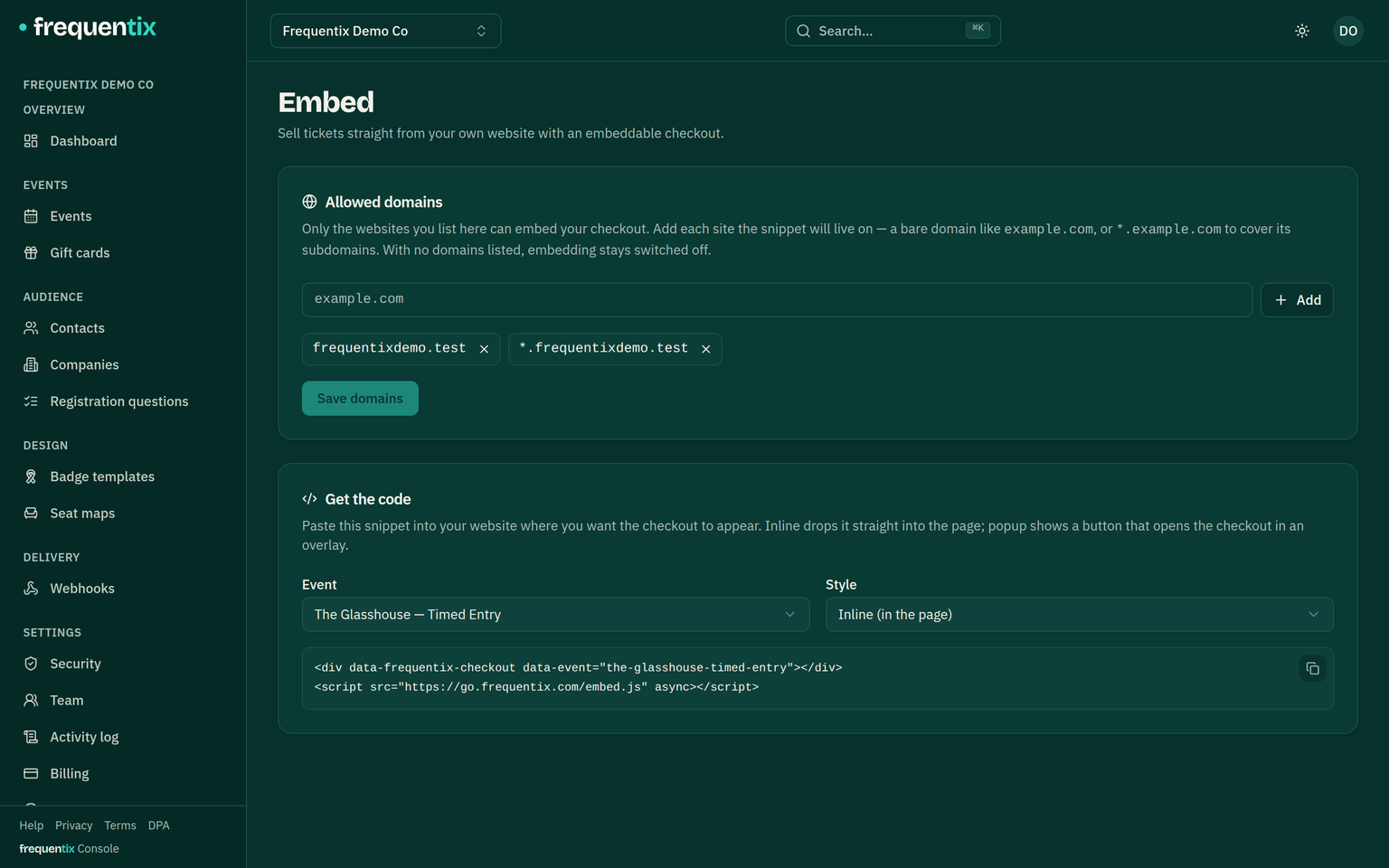
- Open Settings → Embed.
- Add your allowed domains — up to 20 bare hostnames, with a leading
*.wildcard for subdomains. - Copy the snippet into your site.
Inline or popup
- Inline — the checkout renders in place in your page and sizes itself.
- Popup — a button (label yours) opens the checkout in an overlay.
- The snippet is one tag with plain attributes: the event, the mode, your button label, a hidden ticket type to reveal for members-only pages — and the language. There’s no switcher inside an embed; your page pins it (
data-locale="fr"), so a French site embeds a French checkout.
What buyers get
The identical storefront checkout, chrome-less: seat picking, registration, payment, then confirmation with ticket QRs and wallet buttons inline — Apple Pay and Google Pay work inside the frame. “Manage order” opens their full order page in a new tab, and a completed sale fires a frequentix:checkout browser event on your page, so your own analytics can count it.