
News
Sell at the door: Box Office is on the App Store
By David Neal ·
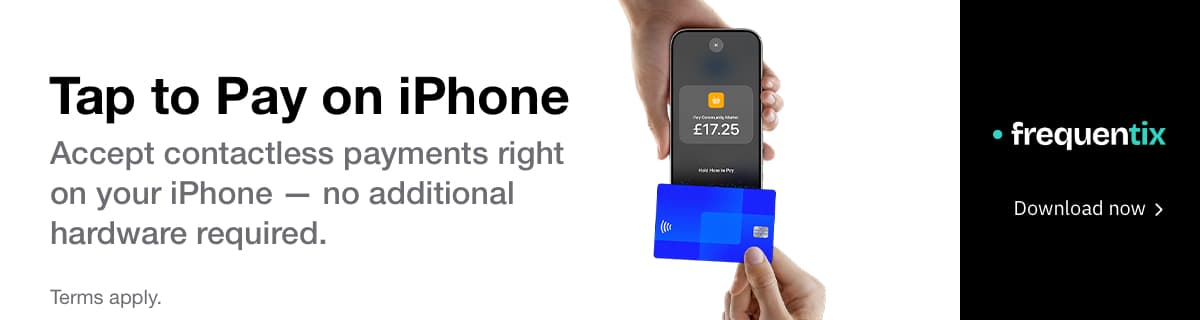
Our door app is out. Search the App Store for frequentix, put it on an iPhone or iPad, pair it with a code from your console, and the person on your door is holding a till and a gate in one hand — Tap to Pay on iPhone, cash, free issue, and every sale checked in the moment it’s made.
We call it Box Office, and it’s the half of the door we’ve been missing. Scanner has run check-in in the browser since we launched — including when the venue signal drops — but a walk-up who wanted to buy still meant a cash tin and a clipboard. From today the same paired phone sells them the ticket, takes the payment, and walks them straight in. The short tour lives at frequentix.com/app; the download is on the App Store.
What the door can do
Everything below is in the app today, wired to the same events, orders and reports as the rest of your account:
- Tap to Pay on iPhone. Contactless cards and digital wallets on the phone itself — no reader to buy, charge or lose. Payments settle straight to your own Stripe account, the same as your online sales.
- Cash and free issue. Recorded against the same order trail as everything else, so the night’s numbers add up in one place.
- A payment link for every wallet. Prefer not to hand your phone over? Show a QR and the buyer pays on their own phone — card, Apple Pay or Google Pay — through the same checkout your storefront runs.
- Sold and checked in, in one step. A door sale can be admitted as it’s made: a real scan, recorded against your gate, so attendance numbers stay true. Email the tickets on the spot, or don’t — a fully anonymous walk-up gets a claim QR that hands them their own tickets and receipt.
- A catalogue built for the door. Choose what the door sells separately from the storefront: door-only add-ons like programmes and cloakroom, discount codes, donations, and dated runs with timed entry. Online sales closing at 6pm doesn’t stop the door selling at 7.
- Seats, from the same map your buyers use. For reserved-seating events the seat picker opens on the device with live availability, so a walk-up chooses a chair that really is free. (Reserved seating is on Pro and above.)
- Scanning, exactly as Scanner does it. Clear verdicts, search by name while you’re online, and offline scanning that keeps admitting people when the signal drops and reconciles the moment it returns.
Paired, never logged in
There are no accounts to hand out, and none to walk off with the phone. Create a pairing code or QR in your console and point the device at it — that’s the whole setup. Pin a device to one event and gate, or register it for your whole organisation so a venue running a season pairs its till once and switches events as the programme moves. Lose a phone and you revoke it from the console; it’s out instantly.
The device is just as careful about what it holds. No attendee names, emails or ticket details stay on the phone beyond the session — identity is on screen for the seconds a verdict needs, then it’s gone. Receipts carry no personal details either.
On every plan
Box office selling and offline scanning come with every plan, including Free — we don’t think a working till or scan reliability should be an upsell. Devices are never counted: put a phone on every door if the queue calls for it. The one door number that changes with your plan is entry points — one gate on Free, three on Starter, unlimited from Pro.
The honest other half
- Update, 2 September 2026 — Android landed. When this was written the app was iPhone and iPad only; Box Office has since reached Google Play, so the door app now covers iPhone, iPad and Android.
- Selling needs a connection. The scanning half keeps working offline; taking money doesn’t — a payment the till can’t confirm is one you’d be arguing about after the event.
- Tap to Pay has floors. It needs an iPhone XS or newer on iOS 16.4 — or, on Android, an NFC phone on Android 11 or later with a recent security update — and your Stripe payments set up. Cash and free issue don’t wait for either.
Put it on your door
If you already run events on frequentix: install the app, open your event’s Box office tab in the console, and pair. The door catalogue, the buyer details you collect and your entry points are all set from the console, and the Box Office guide walks the whole thing, first pairing to first sale.
Download frequentix on the App Store — pair it with a code from your console and take your first walk-up today. Not with us yet? Try frequentix free — publish your first event this afternoon, and the door app is included whenever you need it.